Quick Process - You'll be done in minutes
Upload your photo → we crop & format it → you preview the result → pay only if you're happy with it.
Take or Upload Your Photo
Stand in front of a white background. Use the guide below to take a clear, acceptable photo.
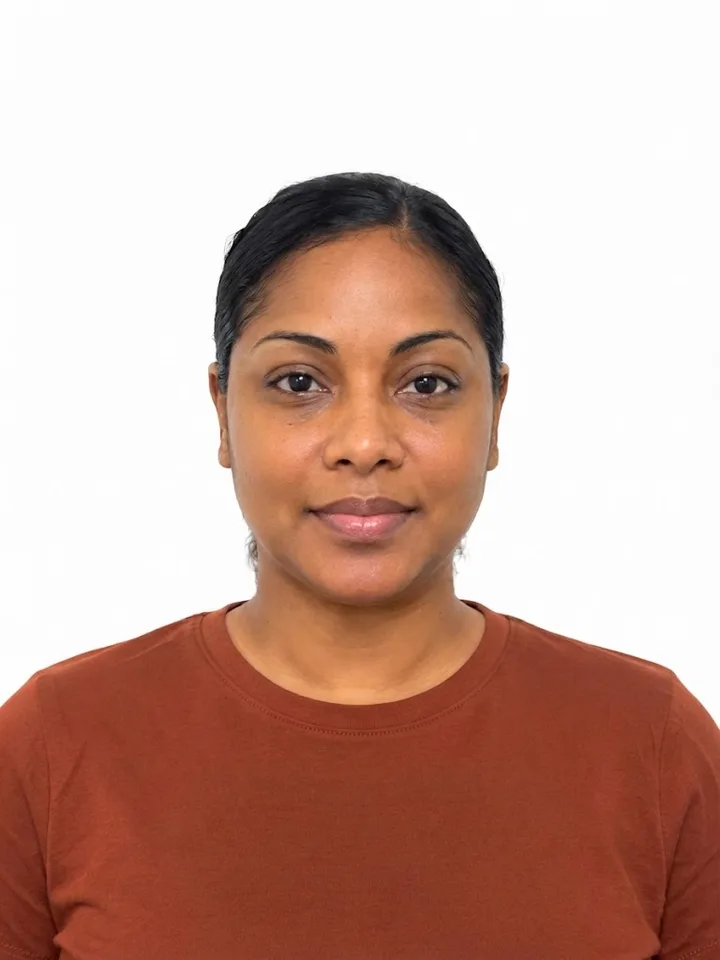
How to take it
- Use your back camera, not a selfie
- Stand at a plain white wall with good, even light
- Ask someone to take it for you
Avoid
- Selfies or arm's-length shots
- Standing too close to the camera
- Tilting your head
- Shadows on your face
- Busy or dark backgrounds
Privacy First: Images are processed securely on your own device, or in an encrypted cloud environment for older devices. Processed files are stored in an encrypted vault for download, then automatically deleted after 90 minutes.
By uploading, you confirm that you have the right to use this image and consent to its processing in accordance with our Privacy Policy and Terms of Service. All files will be auto-deleted in 90 minutes.